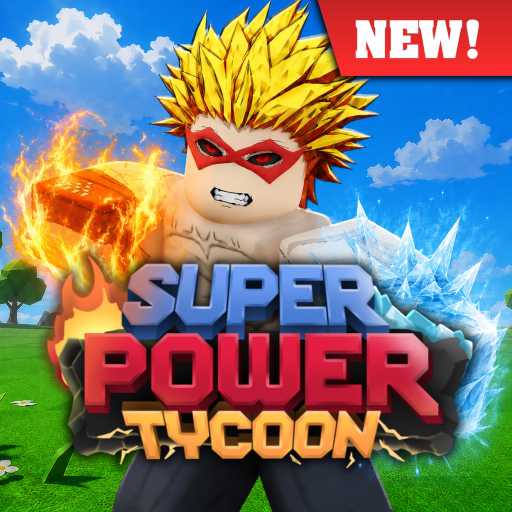
SuperPowerTycoonNEW
Easy guide · 10–20 minutes

How to Start Super Power Tycoon [NEW] (August 2026)

A first-session guide for Super Power Tycoon [NEW]: identify the exact experience, learn the tycoon loop, choose a first goal, and leave a reliable checkpoint for later upgrades.

Checked August 3, 2026Early-access aware
Quick answer

What to do first

Open the exact Roblox experience, confirm the United Super Hero Association creator, learn the visible build-and-upgrade loop, and test one clear goal before chasing a power or weapon. The public description confirms automatic saving and territory fighting/defense, but it does not expose a universal purchase order.

This guide is for the exact experience linked from Roblox. It keeps confirmed game-loop facts separate from observations that still need an in-game check.

Requirements

Before you begin

No unsupported level, cost, drop-rate, cooldown, or unlock requirement is invented here. If the game UI shows a new prerequisite, record it before treating the route as settled.

RequirementCurrent guidance
Game identityPlace 97273764168689 · universe 10395261977
First-session goalChoose one: learn the tycoon loop, test a power, or understand defense
CodesNo target-specific verified code string collected at launch
SafetyUse only the live Roblox UI; do not install scripts or third-party downloads
Step-by-step

How to start safely

Follow the numbered sequence, then verify any game-specific value in the live experience before spending time or resources.

  1. 1

    Open the exact experience

    Use the official Roblox link and check that the title is Super Power Tycoon [NEW], the creator is United Super Hero Association, and the place ID matches 97273764168689. Same-title or old-place results should not be mixed into your notes.

    Pro tip: Bookmark the official page rather than a search snippet so a similarly named experience cannot replace it.

  2. 2

    Read the visible tycoon loop

    Spend the first minutes identifying how the experience presents building, upgrades, powers, weapons, and territory. The official description supports the build-and-fight loop, but this site does not assume a hidden income formula or a specific first purchase.

    Note: If a value is not visible in the live game or a trusted source, leave it as unknown instead of estimating it.

  3. 3

    Pick one repeatable goal

    Choose a simple session target such as learning the next visible upgrade, trying a named power when available, or practicing defense. Keeping one goal makes later progress comparisons more useful than switching between unsupported “best” routes.

  4. 4

    Test the power or weapon in context

    When the game exposes a power or weapon, note its name, where it appeared, what the UI says, and what you actually observed. Do not convert one short test into a permanent tier ranking; the roster is larger than the public summary and the game is early access.

  5. 5

    Check saving and leave a checkpoint

    The official description states that progress and gamepasses automatically save. Still, allow the game to finish its visible save flow and record the last confirmed action before leaving. Re-open later to confirm rather than assuming every experiment persisted.

If you're stuck

Fix the next roadblock

Use the matching check when the route does not behave as expected in your current session.

Starting from an old same-title wiki

Compare the Place ID and universe first; the indexed older fan wiki is not the target experience.

Searching for a guaranteed first purchase

Use the progression planner with your own visible options and wait for verified cost data.

Common mistakes

Avoid the shortcuts that create bad data

Early-access games change quickly. These checks help keep a useful player record without presenting guesses as official mechanics.

Starting from an old same-title wiki

Better move: Compare the Place ID and universe first; the indexed older fan wiki is not the target experience.

Searching for a guaranteed first purchase

Better move: Use the progression planner with your own visible options and wait for verified cost data.

Using scripts to skip the loop

Better move: Avoid exploits and downloads; they can harm the account and are outside safe player guidance.

Treating early-access bugs as mechanics

Better move: Record the exact behavior, date, and update context before calling it a feature.

FAQ

How to Start Super Power Tycoon [NEW] questions

Is this an official Roblox guide?

No. This is an independent player resource. Use the official Roblox experience page for the live game, account actions, purchases, and moderation.

Does this guide publish exact costs or damage?

No. Exact values are included only after a reliable first-party or reproducible in-game source is available. The current pages use verification checkpoints instead.

Can the game change after this guide is published?

Yes. The experience is early access and the official page notes frequent bugs and updates, so re-check the date and update log before relying on a route.

Where should I report a correction?

Use the site contact page with the exact Roblox URL, the in-game wording, and a checked date. Do not send passwords, cookies, or exploit files.

Related guides

Keep the decision chain moving

Use these internal paths to compare roles, check updates, or plan the next session.

Next tool

Turn your first session into a checklist

Use the planner for your own inputs; it does not guess hidden game formulas.

Open planner
Common player questions

Questions this page answers

These topics are kept here so a player can move from the question to the relevant next action.

  • Super Power Tycoon beginner guide
  • tips and tricks